Contents
April 2026
 Updated
by Caroline Buckland
Updated
by Caroline Buckland
Release Notes
This document contains details of new and amended functionality included in the software update deployed on 13th of April 2026. We've rolled out several enhancements this month, including:
• CP14 (deferred from March Release) – Collaborative Planning Release 14 - Help | Financials
• General Ledger Journal Multi Level Approval - Deferred to May whilst we improve the workflow
• Custom Fields Core Financials
• Procurement Portal Changes
• Delivery Note printing
• AFX Changes
• Menu Changes
Core Custom Fields
Details of the change
We've enhanced our core Financials system by introducing custom data allowing users to enter extended data against Requisitions, Orders, Sales Invoices and Purchasing items with Accounts Payable Transactions coming soon.
These custom formats are particularly useful for interfaces but can also be utilised during data entry in Financials core. We've provided default variants for each transaction type.
These can be easily copied to add your company code. The fields and labels are fixed for each format.
The following formats are available:
- Purchase Order Header
- Purchase Order Line
- Requisition Header
- Requisition Line
- SI Document Header
- SI Document Line
- Purchase Item
These fields are available for ITKs, but API integration will be implemented in Phase 2.
Example
Setup
Access the following menus:
System Admin>Module Controls>General Ledger Controls>Drill Down Headings
The Custom Field Type Drop Down can be used to select the format you wish to copy.
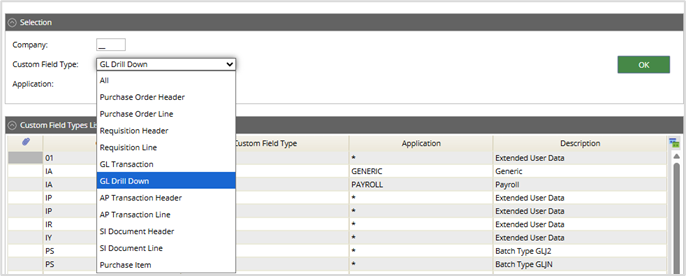
Select a type and then select the OK button.
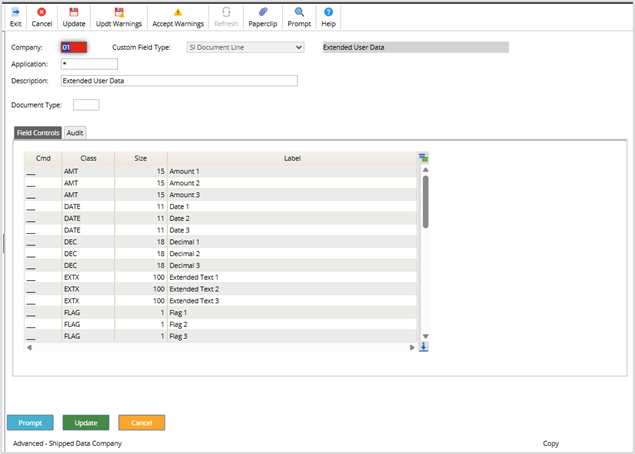
Select the Copy action against the 01 company.

Depending on the format you have copied will depend what parameters you can customised, however the company code is a mandatory change for all formats.
This example is the Sales Invoice Line level.
Company: enter your company code
Description: one of your choice
Document Type: enter a valid Sales invoice document code, this is not mandatory but allows different formats for each document type.
Field Controls: The size and field labels cannot be changed.
Sales Invoice Line Level Example
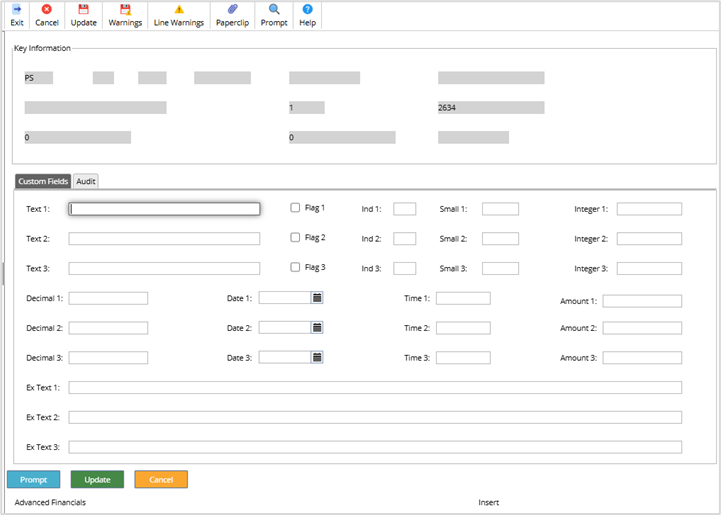
When creating a new Sales Invoice, the Go>Custom Line Fields option.
Sales Invoice Line Level Example
When creating a new Sales Invoice, the Go>Custom Line Fields option.
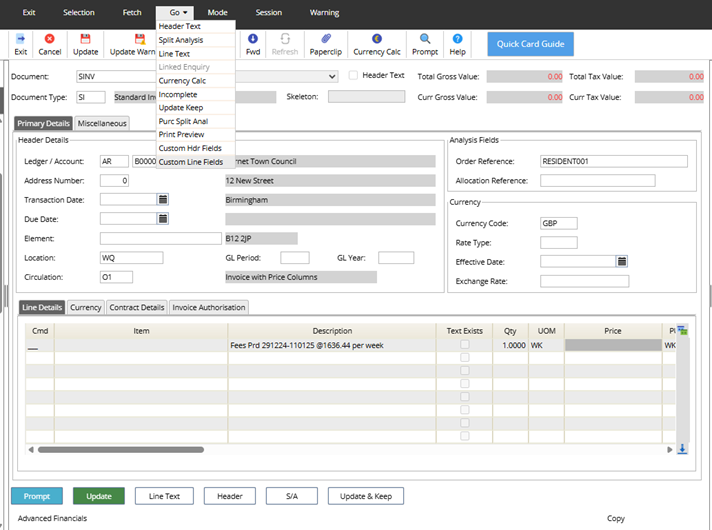
The drill down fields are then displayed and input allowed.
Enquiry
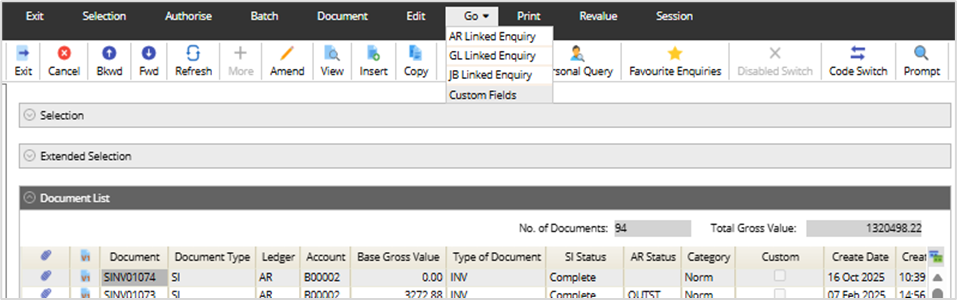
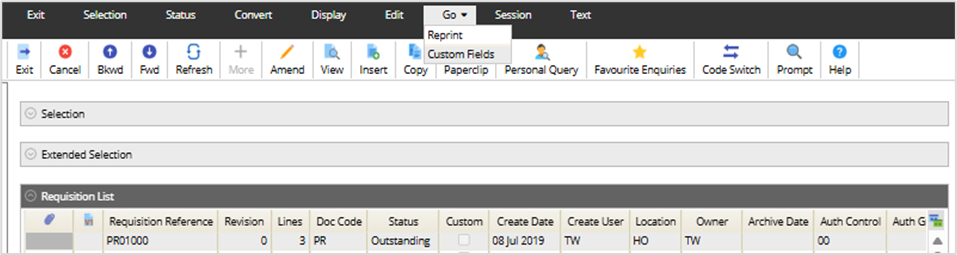
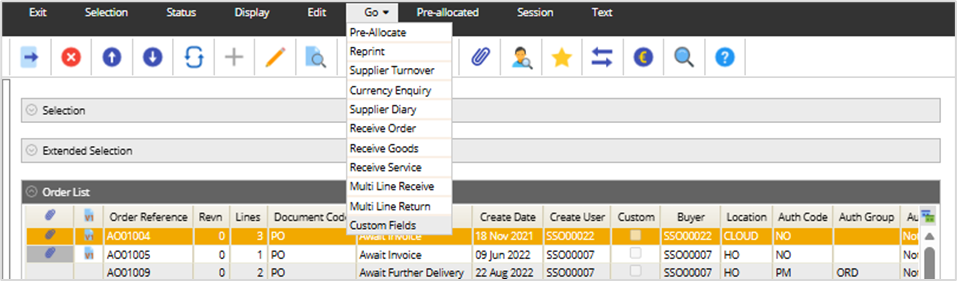
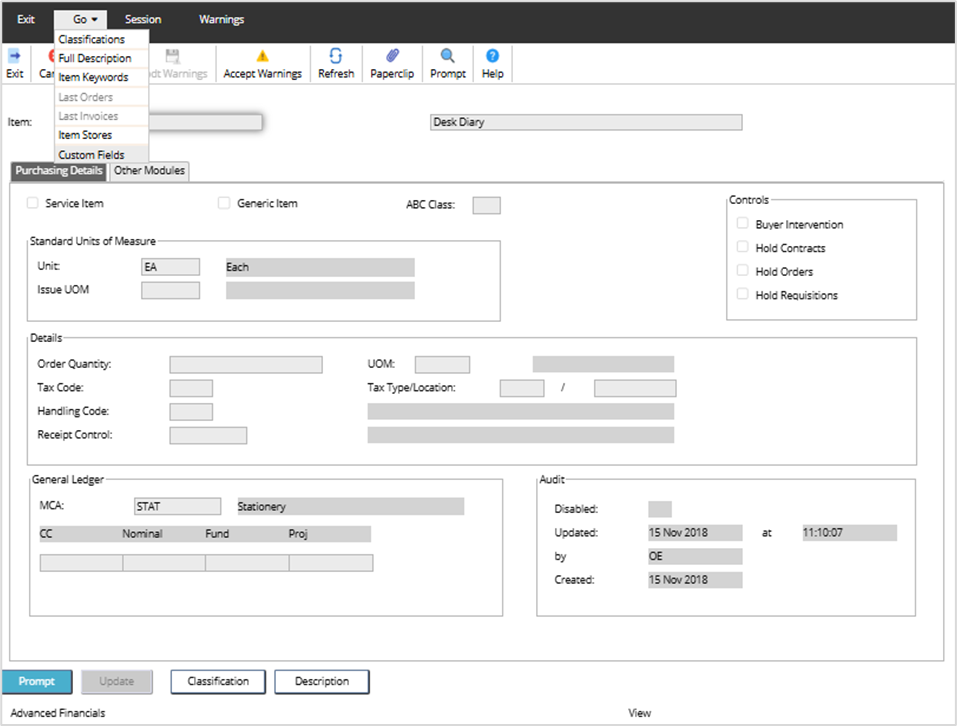
The formats are also available from the Enquiry List Screens by accessing the Go>Custom Fields option.
For Example:
List Invoices/Credit notes
List Requisitions
List Orders
Purchase Items – you will need to view the Item code first.
Procurement Portal Changes
Details of the change
New custom fields are available on Requisitions and Orders. The new formats are customisable by a user with System Administrator access. Once the formats are created, all users on the Procurement portal can add data and view the new the custom fields.
The following formats are available:
- Purchase Order Header
- Purchase Order Line
- Requisition Header
- Requisition Line
Setup
Access the following menus to define the field names.
System Admin>Module Controls>General Ledger Controls>Drill Down Headings
Select Purchase Order Header
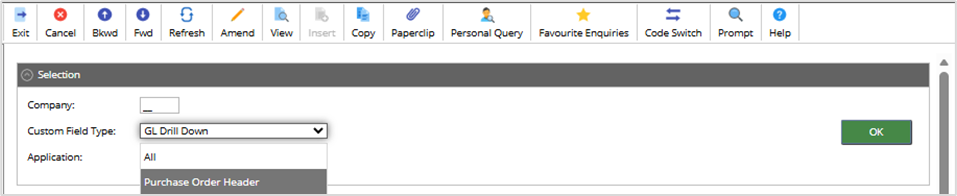
Select OK and shipped table will be displayed.
This can be copied, using the Copy icon.

The fields can be customised at Company or Order Code level.
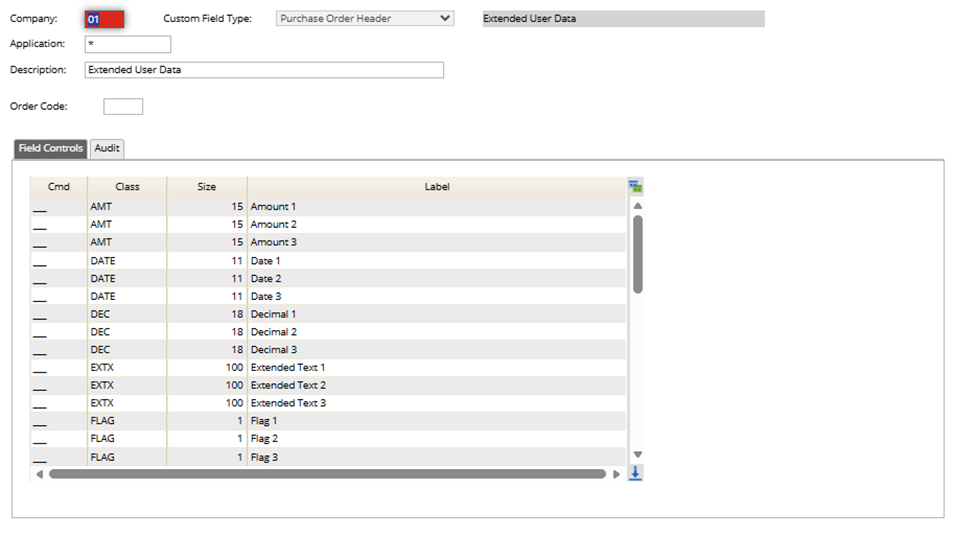
Change the labels to once of your choice, any unwanted fields use the D on the Cmd line and press enter on the keyboard to delete the field from view.
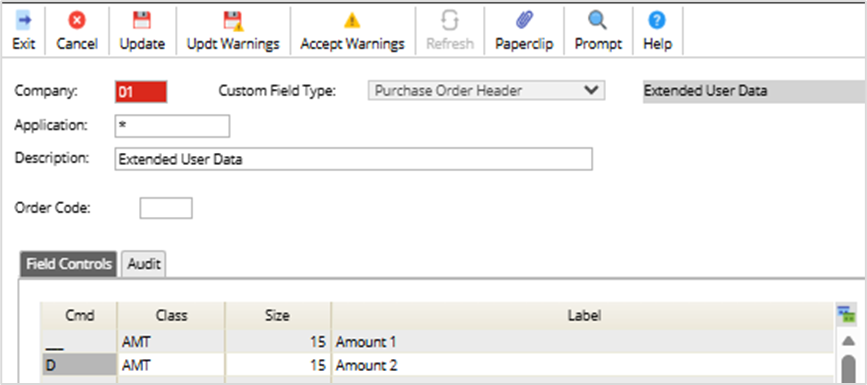
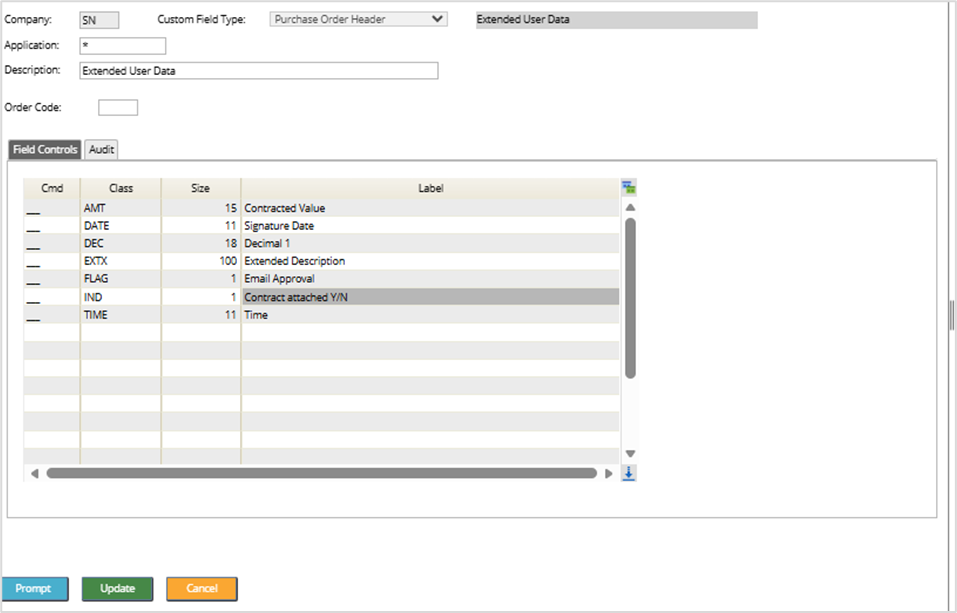
Select Update once complete.
If custom fields are required at Line level, select the Purchase Order Line. Then the same process described above can be performed.
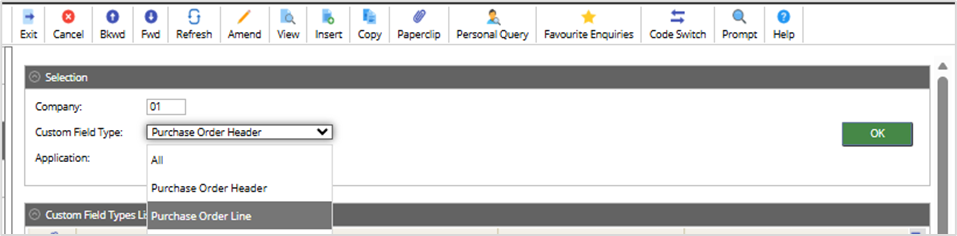
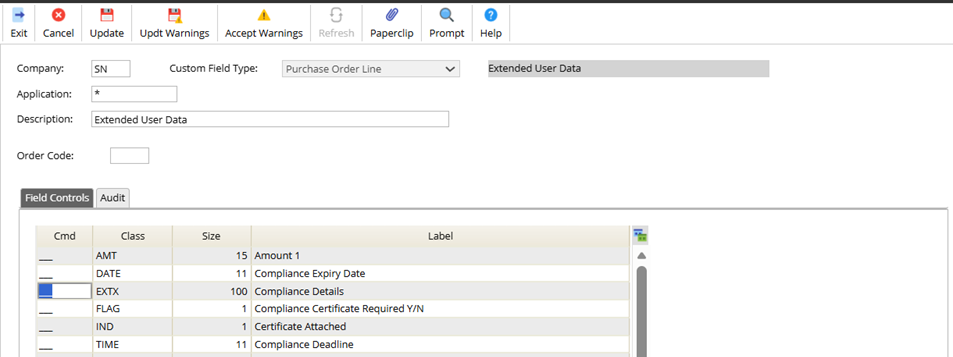
The above also applies to Requisitions if you are using those in your organisation.
When a user logs into the Procurement Portal the following fields are displayed on the Custom Fields tab on the Purchase Order Header.
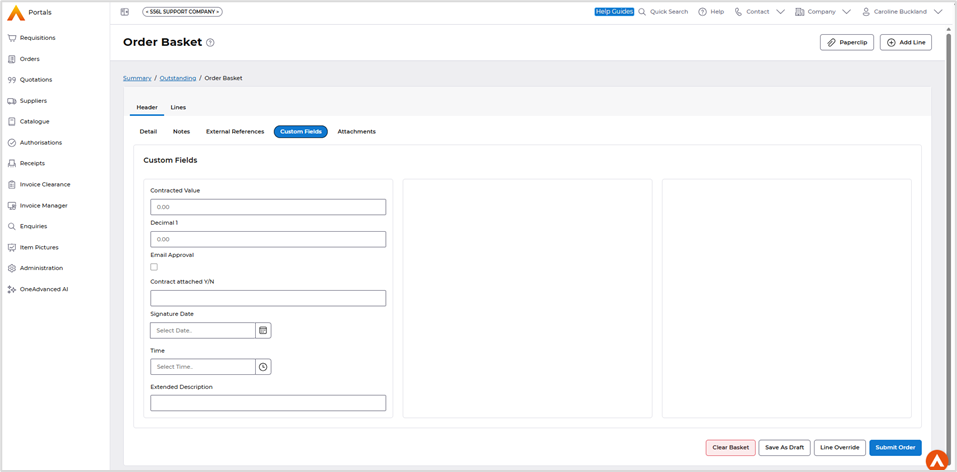
Line level example.
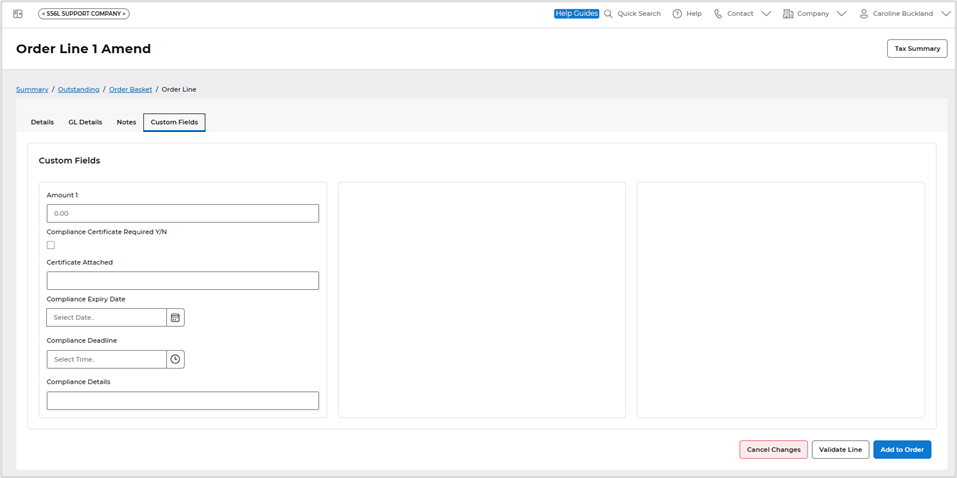
The new custom fields can be viewed on the Order Summary.
https://advancedfinancials.helpdocs.io/article/qv761m5opm-february-2026#procurement_portal_improvements
Delivery note print
Details of the change
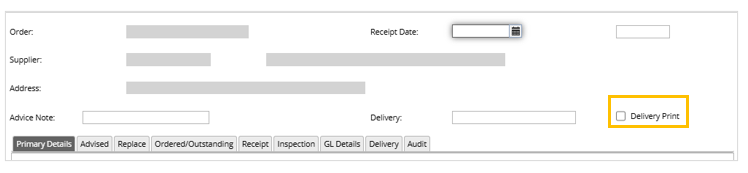
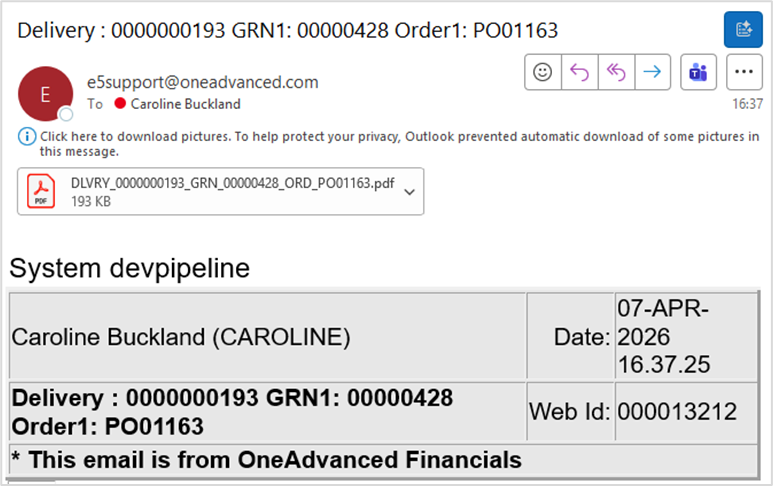
New Print Delivery note option in Goods Receiving screen (core only). If this flag is set a new routine will then email the Goods Received note to the user’s email.
When accessing the Goods Received note screen, a new flag is displayed during the entry process.
Example email and PDF.
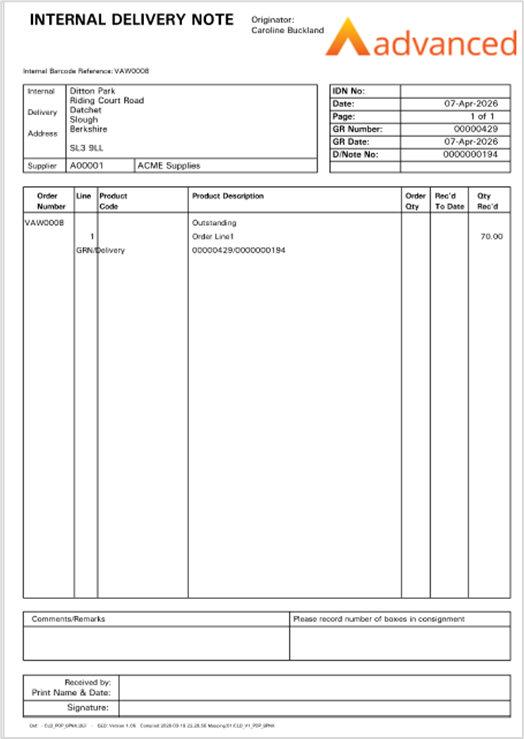
The logo will be picked up from your current branding.
AFX Changes
New Accounts Payable Data Entry screen
Details of the change
We've introduced an optional change to the Accounts Payable Data Entry process. This update is not enabled by default and can be activated upon request by individual customers.
The new design offers a more streamlined experience, significantly reducing the need for scrolling. Additionally, it provides a clearer view of more fields, making it easier to review the information.
We're seeking your feedback on this change before considering it for permanent implementation. Your input will help us refine the update and ensure it meets your needs.
Please raise a support case if you wish to trial the new screen.
New format of AP Data Entry screen.
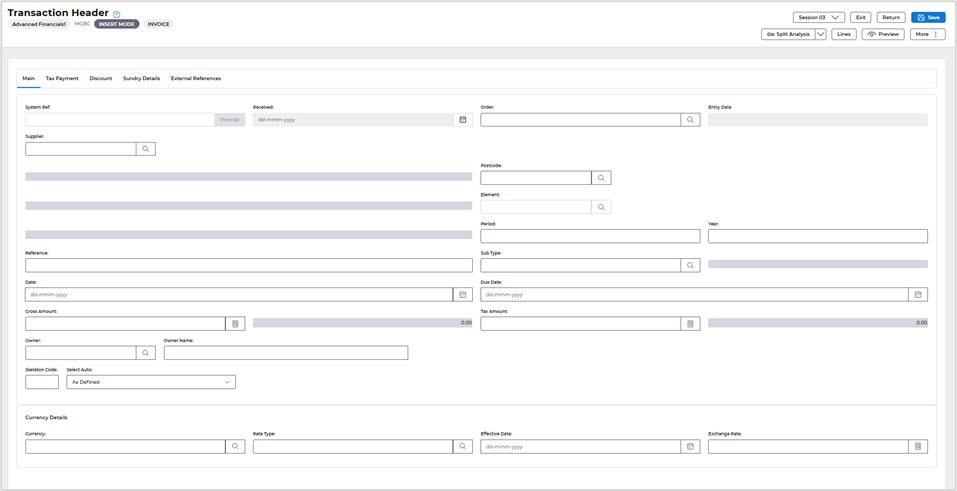
For this release it is only available to customers who have the extended reference activated for Accounts Payable transactions. All customers can test this from the May release.
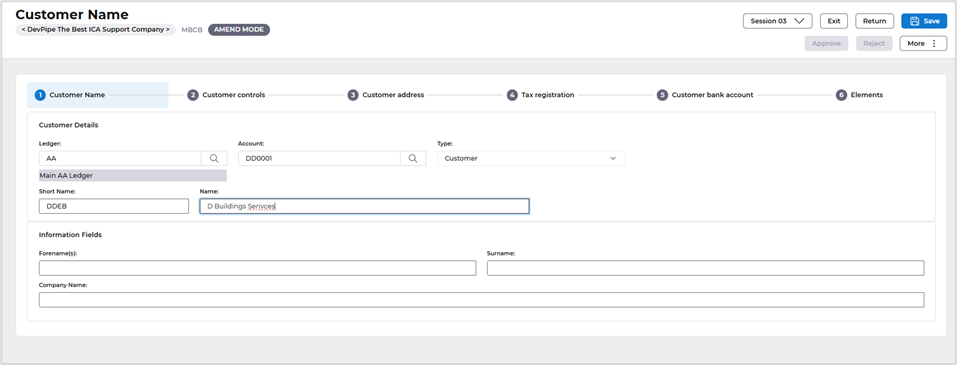
Customer Element field added to the Breadcrumb trail.
Details of the change
The Element field has been added to the Breadcrumb trail in the Customer file.
This change only applies to customer that are using Intra Company Accounting (ICA)
Menu Changes
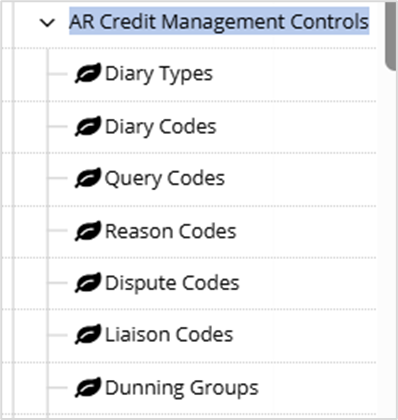
Dunning Groups have been added to Module Controls menu.
Systems Admin>Module Controls>AR Credit Management Controls