Contents
Collaborative Planning Release 14 April
 Updated
by Caroline Buckland
Updated
by Caroline Buckland
User Interface Update
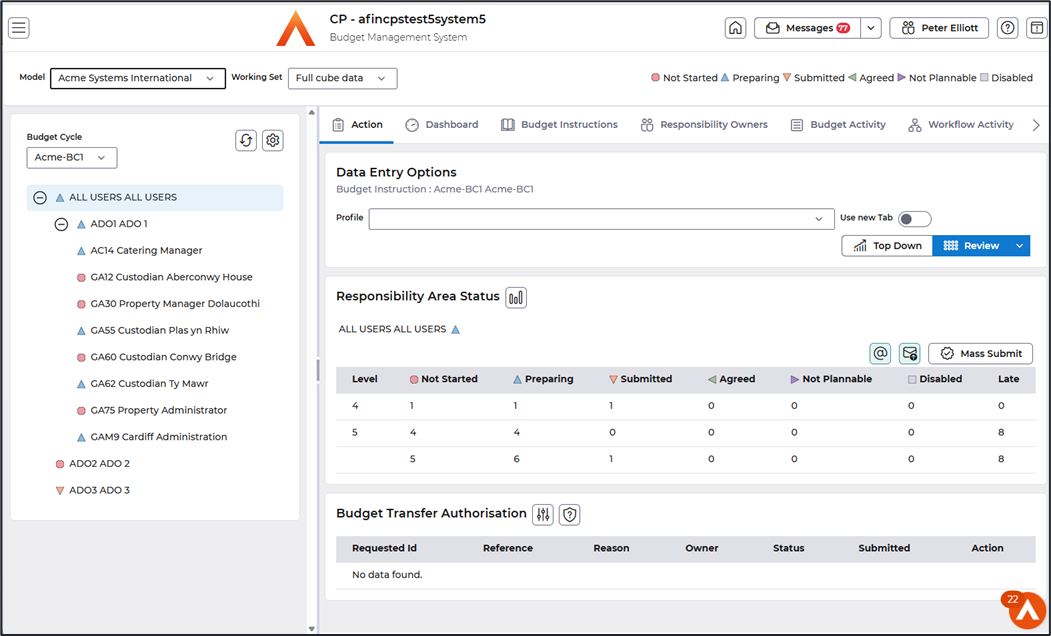
The refreshed UI is built on Mosaic Prime Vue. The following screen shots cover a selection of pages, highlighting the main features and changes.
Workbench
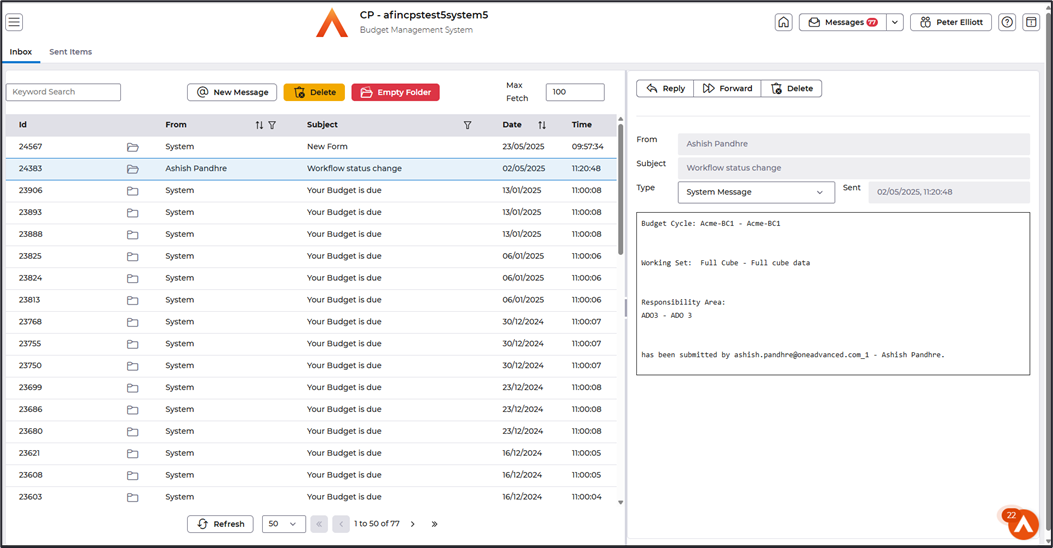
Messaging
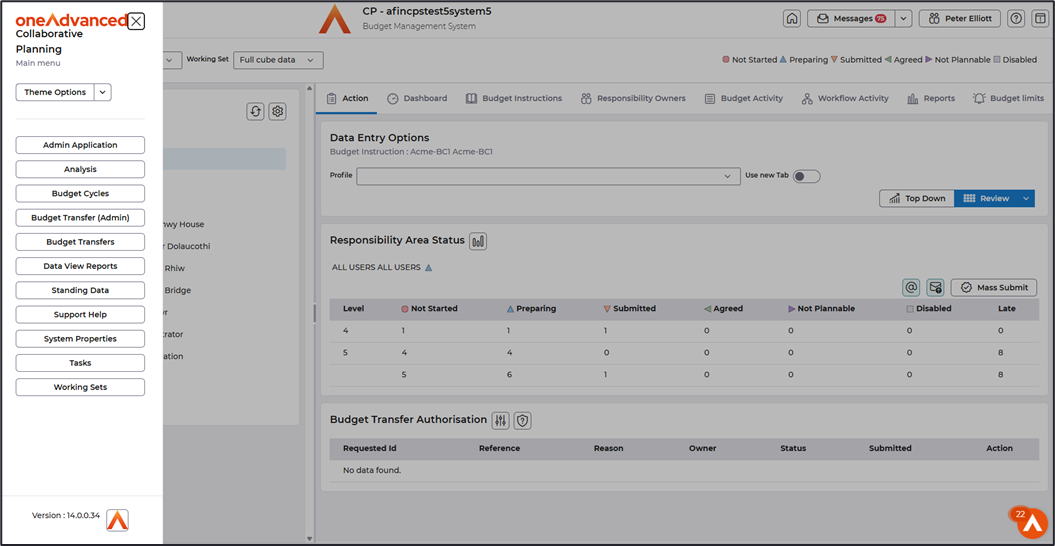
Additional main menu options are accessible via popout side-panel.
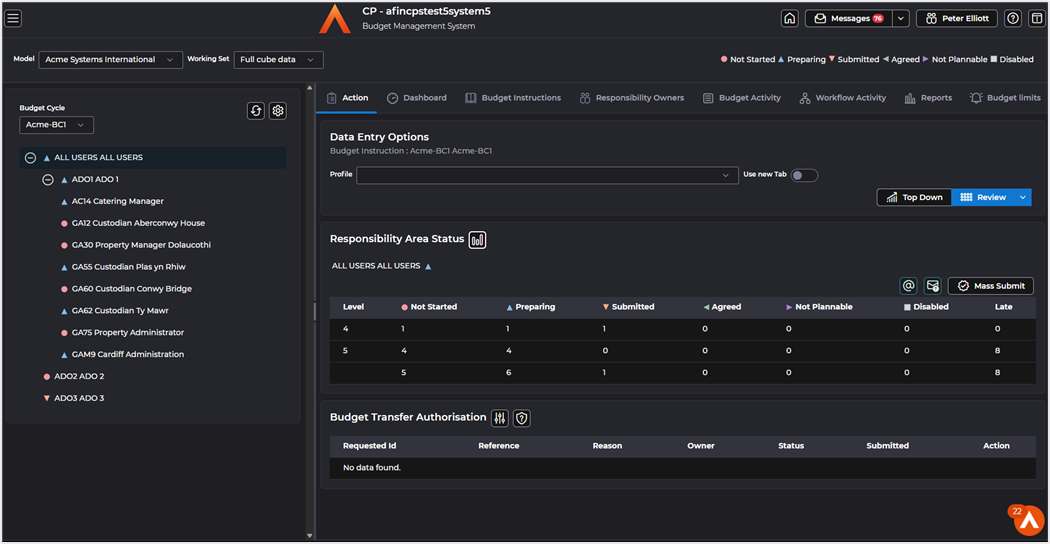
R14 also includes support for light and dark themes.
Data Entry Finance Form
Data entry and supporting dialogs have also been refreshed, CP utilises custom controls to handle high-volume data sets commonly found in budgeting and forecasting models.
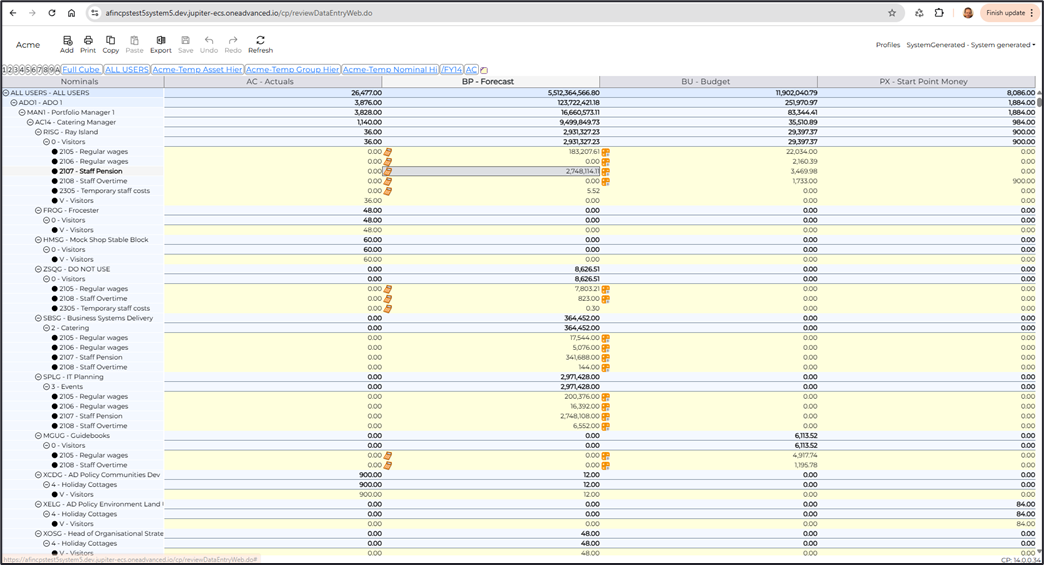
The current input focus cell is indicated in finance forms by highlighting the focus cell’s column and row headers. Cell selection can be done via key board input by use of shift and arrows keys.
Entire rows or columns can be selected by clicking the row or column header. All cells can be selected via Ctrl-A.
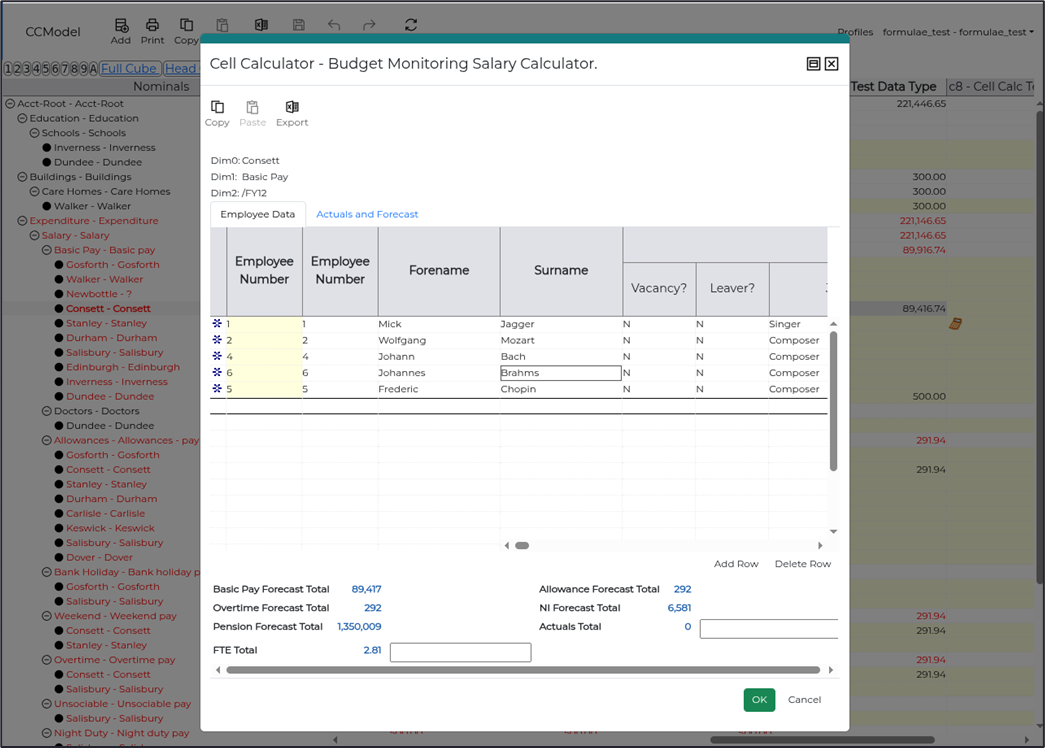
Version One Calculators
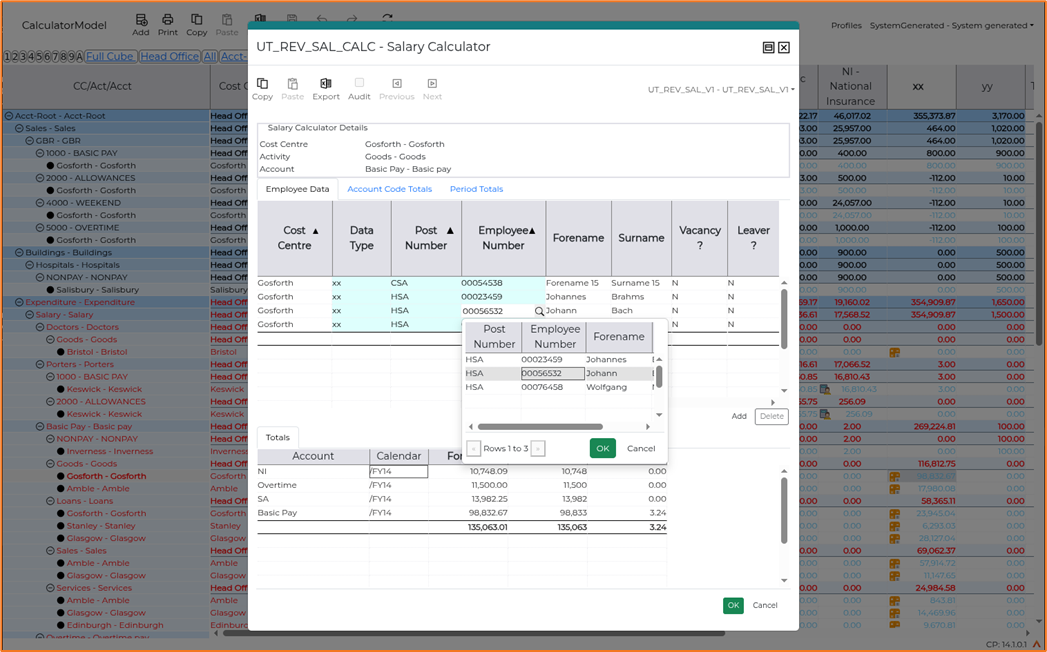
Version Two Calculators
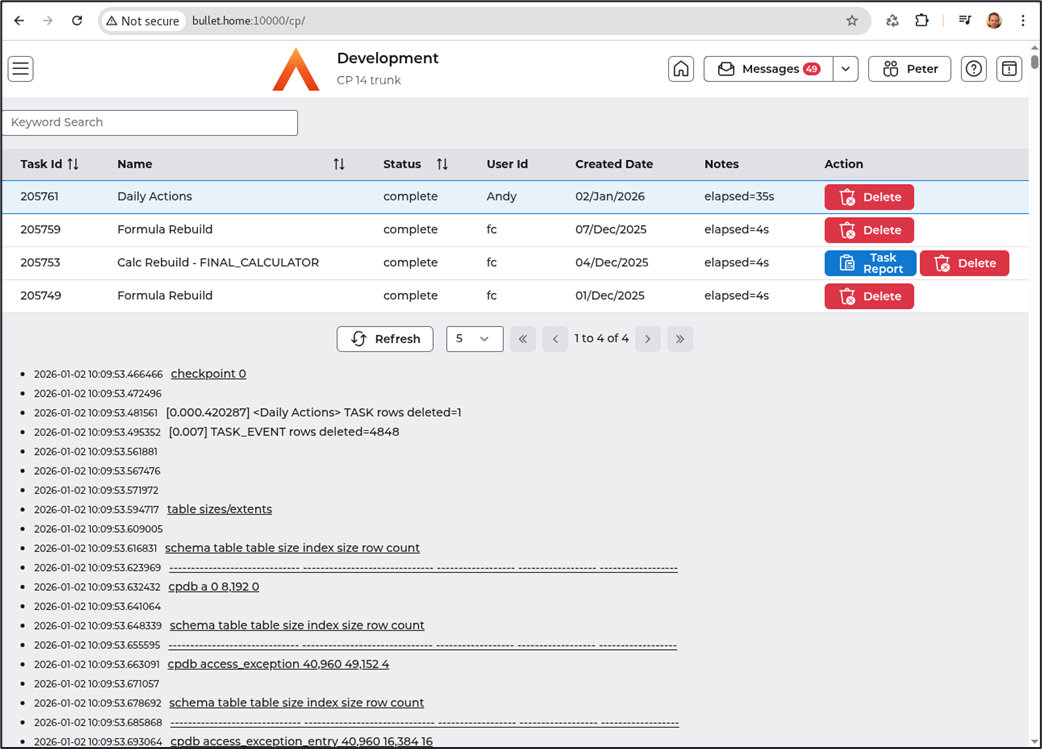
Background Tasks
Theme settings are controlled via “Theme Options” drop down in the Main menu – see below.
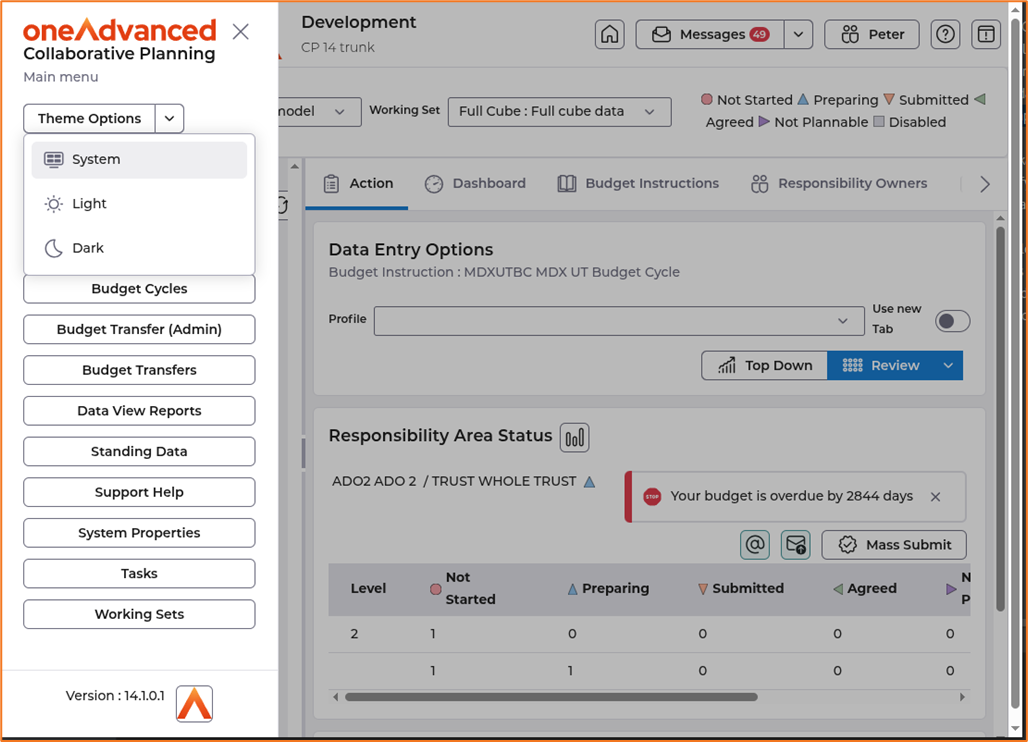
The ‘System’ option picks up the browser’s light/dark settings.
User Preferences and Admin on desktop
Prior to CP R14 in an AWS context, the admin application could only be accessed via Webswing which runs the Java process server-side and renders an image of the application in the browser thus not requiring Java on the desktop. This is still supported but R14 also adds the option to run the admin application on the user’s desktop. The default is to use Webswing but can be changed via user’s preferences as shown below.
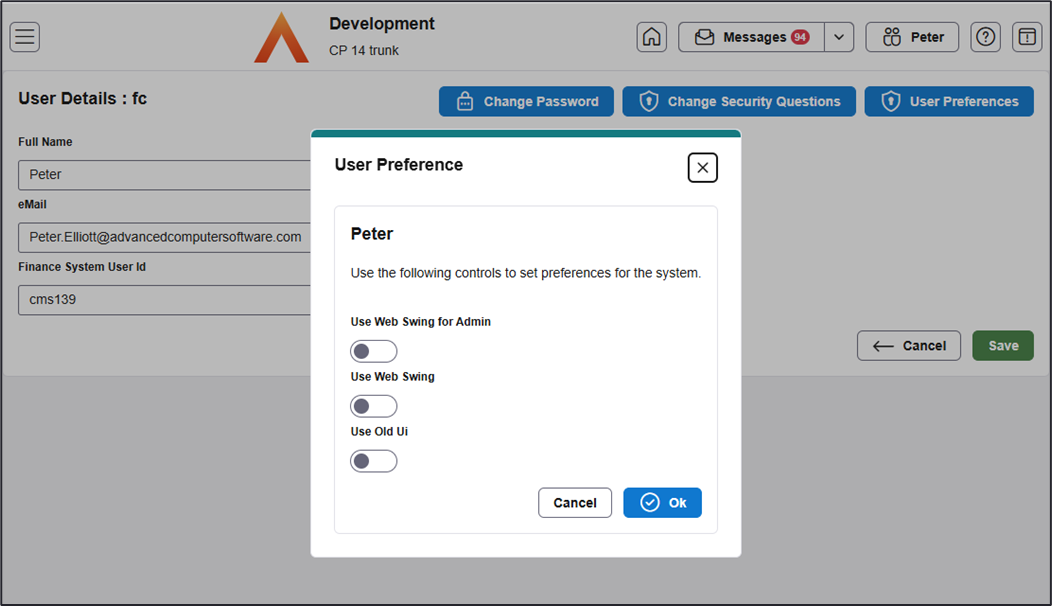
If the ‘Use Webswing for Admin’ option is turned off as above; when the admin is accessed, CP will attempt to launch on the user’s desktop. See technical section for details of prerequisites to support this.
The ‘Use Old UI’ option allows user to toggle between the existing landing pages and the newer prime-vue based pages in R14.
Forms Designer Changes
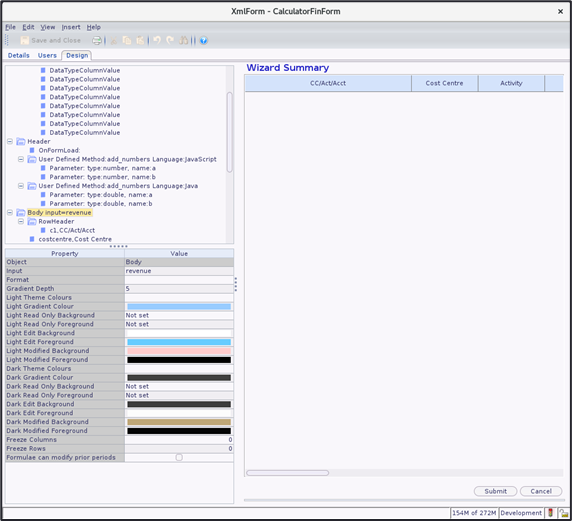
The finance and version one calculator form designer now supports tailoring of the form’s colours for light and dark themes. Light / dark theme colours can be specified for read only, editable, modified fields and gradient shading.
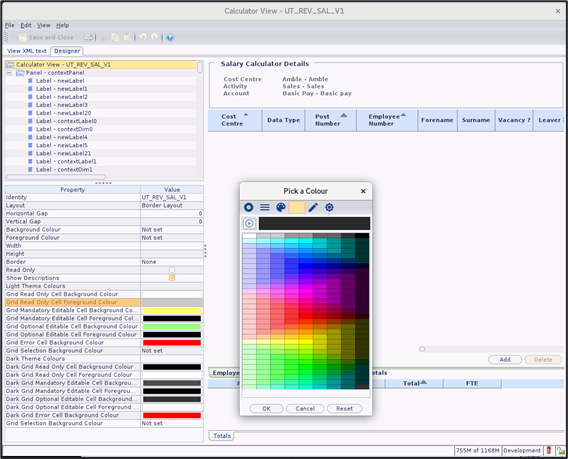
The version two calculator view designer also supports similar tailoring for read only, editable mandatory and editable optional fields. The background colour of cells in error or selected states can also be specified.
Technology Refresh
R14 supports Java 21 LTS and Java 17 LTS server side. JBoss version
Client side, R14 requires a modern H5 compatible browser such as Chrome, Edge or Firefox. For customers using Java Swing based data entry or the Admin application on desktop, Java 17 and 21 versions are supported. R14 has been tested with OpenWebStart for launching Java on desktop. If customers are using Java client side, Advanced recommend an open-source Java distribution is used to avoid Oracle licensing issues.
Below covers the above in more detail.
Technical Update
Client Requirements
The client machine must have a Web Browser as outlined in the Browsers section.
Operating Systems
Windows 11 and 10 are supported although most platforms which can run a supported browser should be able to run CP.
Recommended specification
Optimal performance will be achieved on reasonably modern hardware, the minimum recommended desktop specification is an Intel or equivalent processor of 2.0 Ghz with 8 GB of RAM.
Browsers
The application should successfully run on most H5 compatible browsers.
Preferred browsers tested on Windows include:
- Edge Chromium (latest).
- Firefox (latest)
- Chrome (latest)
Java
Most of the CP 14 user interface is browser based, so monitoring and contributing to the budget can be achieved without additional client software. However, to run the following components on the desktop:
- Budget Transfer Administration
- Analysis sub system
Requires one of the following installed on the client:
- Java JRE 17+ or 21+ and use Open Web Start.
- Java JRE 17+ or 21+ and use Iced Tea Web.
- Java JRE 17+ or 21+ and install Advanced Java Launch.
Open Web Start
Open Web Start (https://openwebstart.com/) is an open-source plug-in replacement for Web Start to allow Java to launch on the desktop.
Iced Tea Web
Iced Tea Web is an open-source sub-component of the project to build an open source JDK/JRE. It is designed to be a plug-in substitute for Java Web-Start™. Azul provide Iced Tea Web Launcher as a separate component.
Advanced Java Launch
Advanced Java Launch consists of a web browser extension and a small native windows component plus Java. Advanced Java Launch supports Windows 11, 10, web browsers Chrome, Firefox, and Open Source or Oracle Java JRE/JDKs.
Advanced Java Launch is an alternative to Java Web Start™.
Webswing
The alternative is to use Webswing to launch the Java Swing based components.
The CP admin application will use Webswing™ which runs Java Swing processes at the server side and displays the user interface via an HTML 5 compatible browser.
Desktop Integration
Collaborative Planning supports .XLSX file extensions for import from Excel and will only output .XLSX files.
Configuration options for Google Drive or MS One Drive
CP14 allows an administrator to configure Cloud accounts for Google Drive or MS One Drive, and to associate those with individual, or groups of users.
When using the Export function from within Finance Form Data Entry such users will receive a message on export completion and be able to click on a link that opens the file download in the configured Cloud Account.
Finance System Integration
The product supports integration with the latest version of Advanced Financials.
Java Licensing
Advanced recommends customers adopt an open-source binary Java distribution to avoid licensing issues connected with Oracle’s Java.
Refer to Oracle FAQ on their licensing terms at: https://www.oracle.com/java/technologies/javase/jdk-faqs.html.
Here are the details of some open-source Java binary distribution suppliers:
Azul: https://www.azul.com/products/zulu-enterprise/
Adopt Open JDK: https://adoptopenjdk.net/
Amazon Corretto: https://docs.aws.amazon.com/corretto
Red Hat: https://developers.redhat.com/products/openjdk/download
Oracle: https://openjdk.java.net/install/
Virtualisation Considerations
If customers choose to operate in a virtualised environment, e.g. for the client machines, they must carry the technology risk of how it operates and is deployed. If the virtualisation software deployment can exactly mirror the client environment needed to successfully operate CP, then there should be no problems. However, we do not ourselves support virtualisation products, and if a problem is encountered that appears to be down to the customers virtualised environment, (that is it cannot be re-created in a non-virtual environment), then we may not be able to support the customer with that issue. We would always advise customers using technology of this sort to have at least one PC operating without virtualisation, so that they can check before logging any problem, that it is a genuine CP issue, and not something that is environment specific and connected with the virtual deployment. We reserve the right to charge for any support time consumed that proves to be a consequence of issues connected with virtual deployment.
